
전체 · SNS/카드뉴스 · 정보·꿀팁
150첫 영상 인사 카드
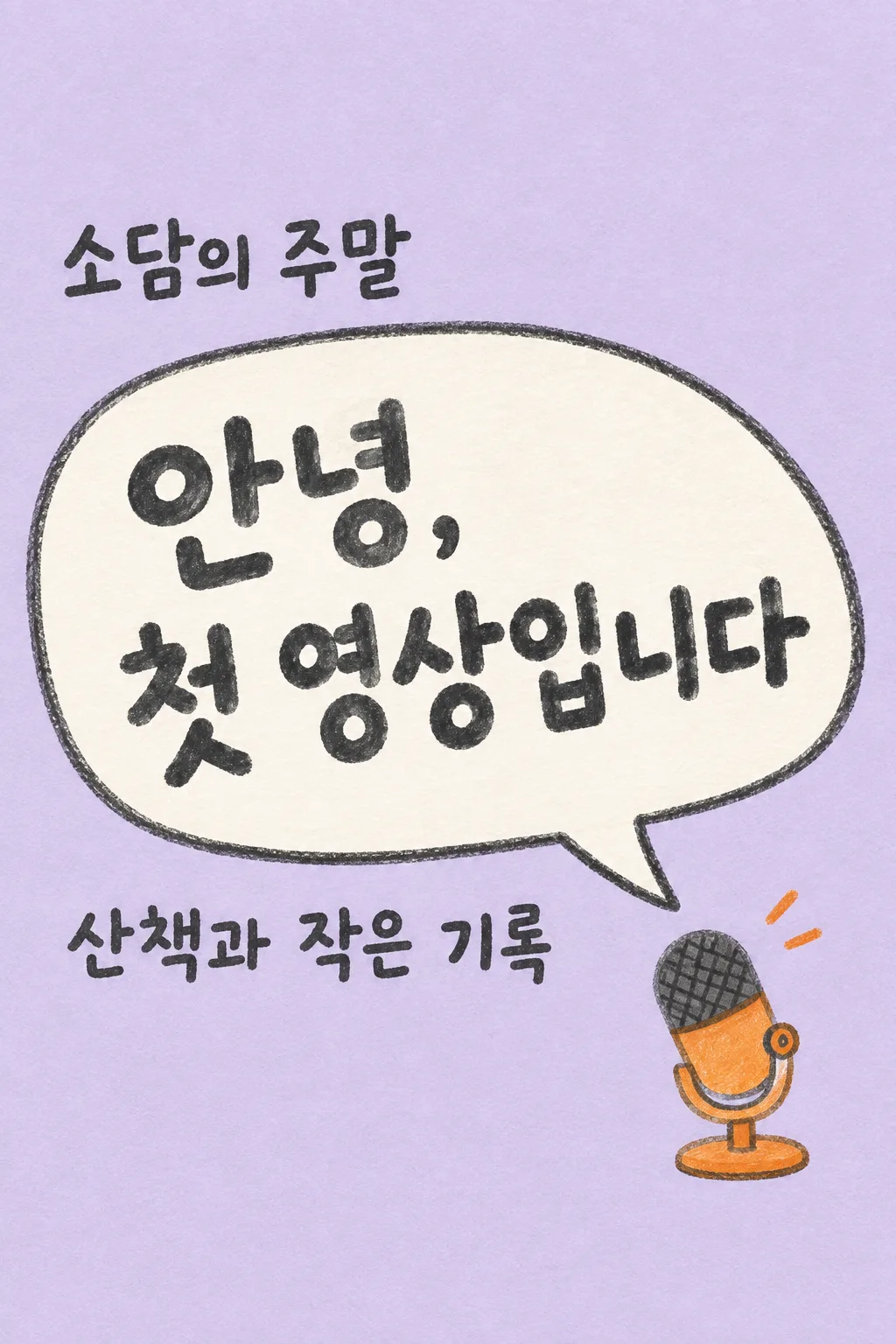
영상 채널을 시작하는 크리에이터가 첫 인사를 한 장으로 만들어 인스타와 채널 커뮤니티에 올려요.
칸 채우기
- 1칸을 채워요
- 2복사 버튼을 눌러요
- 3GPT 채팅창에 붙여넣어요
- 4제품·인물 사진을 쓰려면 사진과 프롬프트를 둘 다 넣은 뒤에 보내요 선택
프롬프트 원문 보기 3,894자
Generate this image now. Draw it directly - do not describe it, explain it, or ask questions.
Output one landscape A3 poster, 420 x 297 mm, aspect ratio 1.414:1. Use the largest supported image resolution. Final print target is 4961x3508 pixels at 300dpi; keep all lettering at least 10 mm inside every paper edge. Preserve the wide composition and print-safe margins.

[Purpose]
Draw ONE complete Korean first-video greeting image for a real creator to share on Instagram or a video channel's community page. This is a friendly beginning announcement, not a scheduled next-video alert, an ending screen, subscription button sheet or channel banner. Produce the image directly. No code, multiple versions, cropping instructions or request for a second message. The format always stays a hand-drawn oversized speech bubble and ONE small tabletop microphone on a lavender paper ground.

[Content decisions]
Creator's exact channel name: "【채널 이름】".
Topic supplied by the creator: "【다루는 이야기】".
Main greeting input: "【첫 인사 문구】".
If the greeting input is "알아서 골라줘", write one original welcoming Korean sentence of 8–15 syllables about beginning to share this topic. Do not print the control phrase. If the creator entered an actual greeting, reproduce its wording exactly, allowing a line break at a sensible phrase boundary. Do not add a promised upload frequency, premiere date, episode number, achievements, audience size, event, giveaway, free gift, follow requirement or a claim that a video is already uploaded. Do not expand the topic into a list of promised content. The user controls the message; the composition stays fixed.

[Scene]
Use one flat, full-bleed warm-lavender paper canvas. Draw an enormous off-white irregular speech bubble diagonally across the center-left, with a thick charcoal pencil outline and a single tail pointing toward a small orange tabletop microphone in the lower right. Draw the microphone as a simple handmade illustration, not a real electronic brand. Its stand, grille and body are readable shapes with subtle wax-pencil texture. Add exactly two very small orange sound marks near the microphone, not extra speech bubbles. No person, avatar, attached photograph, camera lens, screen mockup, social-app interface or competing icons.

[Text layout]
Reserve the entire top 18% and bottom 18% as blank lavender paper, no words there. All essential text fits from 20% to 81% of the height. At 20–29%, place the entered channel name once in dark charcoal, left-aligned outside and above the speech bubble. At 31–61%, put the greeting in the speech bubble in very large, comfortably spaced hand-drawn Korean letters. Let the headline use two or three short lines while preserving whole words. Make the greeting the biggest element, readable at small catalog size. At 65–76%, put the creator's topic below the speech bubble as a single clearly legible sentence or at most two short lines. Do not print the field labels. The microphone occupies the bottom-right of the central zone, ending above 81%, and never covers text. Preserve the same layout when input wording changes.

[Style and hierarchy]
Use cheerful but restrained charcoal, pale lavender, off-white and one orange accent. The bubble edge is slightly imperfect and the paper shows fine tooth. Lettering is bold hand-drawn block lettering, neither tiny handwriting nor glossy 3D display type. Keep the topic noticeably smaller than the greeting but large enough for a phone. The channel name is the identity, the greeting is the hero, and the topic tells a reader what the channel is about. Leave actual breathing space rather than filling empty areas with decorative copy or icons.

[Text rules and avoid]
The image contains only the exact channel name, one greeting, and the exact entered topic. Spell every Korean syllable correctly. Avoid printing "채널 이름", "다루는 이야기", "첫 인사 문구" or "알아서 골라줘" as labels or decoration. No logo, watermark, hashtags, QR code, fake handle, platform name, date, timeline, like/subscribe/follow button, red play triangle or engagement numbers. Return only the finished single image; it should look like a personal hello from a beginning creator.
이 카드도 많이 사용해요
쓰는 법 · 자주 묻는 것
이런 때 쓰세요
처음 영상을 만들었거나 채널을 시작하며 인사를 남기고 싶을 때 쓰세요. 인스타에 채널 소개를 올리거나 채널 커뮤니티 첫 글에 붙일 수 있는 한 장입니다. 말풍선 안의 큰 인사와 아래의 주제가 주인공이라 구독자 수나 화려한 성과가 없어도 내 채널을 소개할 수 있습니다. 다음 영상의 날짜를 알리는 127번과 달리, 시작하는 사람의 짧은 인사를 전달합니다.
칸 채우는 법
‘채널 이름’에는 실제로 사용하는 이름을 적으세요. 계정 주소를 적고 싶다면 표시하고 싶은 철자 그대로 넣어도 됩니다. ‘다루는 이야기’에는 시청자가 알아야 할 내용 한 가지만 짧게 적으세요. ‘책·요리·여행·운동 모두’처럼 긴 목록보다 ‘혼자 만드는 집밥’처럼 채널을 쉽게 떠올릴 수 있는 표현이 좋습니다. ‘첫 인사 문구’는 직접 적거나 ‘알아서 골라줘’를 선택할 수 있습니다. 자동 문구는 시작을 반기는 짧은 인사만 만들고 날짜나 주간 업로드 횟수는 만들지 않습니다.
한 번에 만드는 순서
칸을 채우고 프롬프트를 복사한 뒤 무료 GPT의 대화창에 한 번 붙여넣어 보내세요. 사진을 첨부할 필요는 없습니다. 큰 말풍선과 탁상 마이크가 들어간 완성 이미지 한 장이 나오면 저장해서 사용합니다. 이 카드는 영상 파일이나 영상 속 엔딩 화면을 만드는 도구가 아닙니다. 댓글에서 ‘다음’이라고 요청하거나 여러 장을 받아 조립하는 과정도 없습니다.
그림이 나오면 꼭 볼 것
채널 이름의 띄어쓰기와 영문 철자를 먼저 확인하세요. 인사는 말풍선 안에서 단어 단위로 자연스럽게 줄이 나뉘어야 합니다. 글자 일부가 마이크에 가리거나 제목보다 설명이 크게 나오면 목록에서 전달력이 떨어집니다. 아래 주제가 입력한 말과 같은지, 매주 몇 시 업로드·구독하면 선물 같은 적지 않은 약속이 추가되지 않았는지도 보세요. 보라색 종이 바탕과 하나의 말풍선은 모든 결과에서 유지됩니다.
고치는 법
말풍선에 글이 너무 많이 들어가면 인사 문구부터 줄이세요. 주제가 길다면 설명을 새로 만들기보다 전달하고 싶은 이야기 하나로 좁혀 다시 입력합니다. 글자 오류가 있으면 일부를 오려 붙이지 말고 수정한 칸으로 프롬프트를 다시 복사해 완성 이미지 한 장을 새로 받으세요. 마이크는 장식이므로 실제 쓰는 장비와 똑같을 필요가 없습니다.
자주 묻는 것
- 사진이 없어도 되나요? 네. 이 카드는 사람 얼굴 없이 말풍선과 마이크만 그립니다.
- 업로드 날짜도 표시되나요? 날짜 칸이 없는 인사 카드이므로 일정은 들어가지 않습니다.
- 구독 버튼이나 링크를 넣어 주나요? 넣지 않습니다. 플랫폼의 실제 글이나 프로필에 연결 정보를 적고 이미지는 첫 인사에 집중하세요.