
전체 · 배경화면 · 폰 배경화면
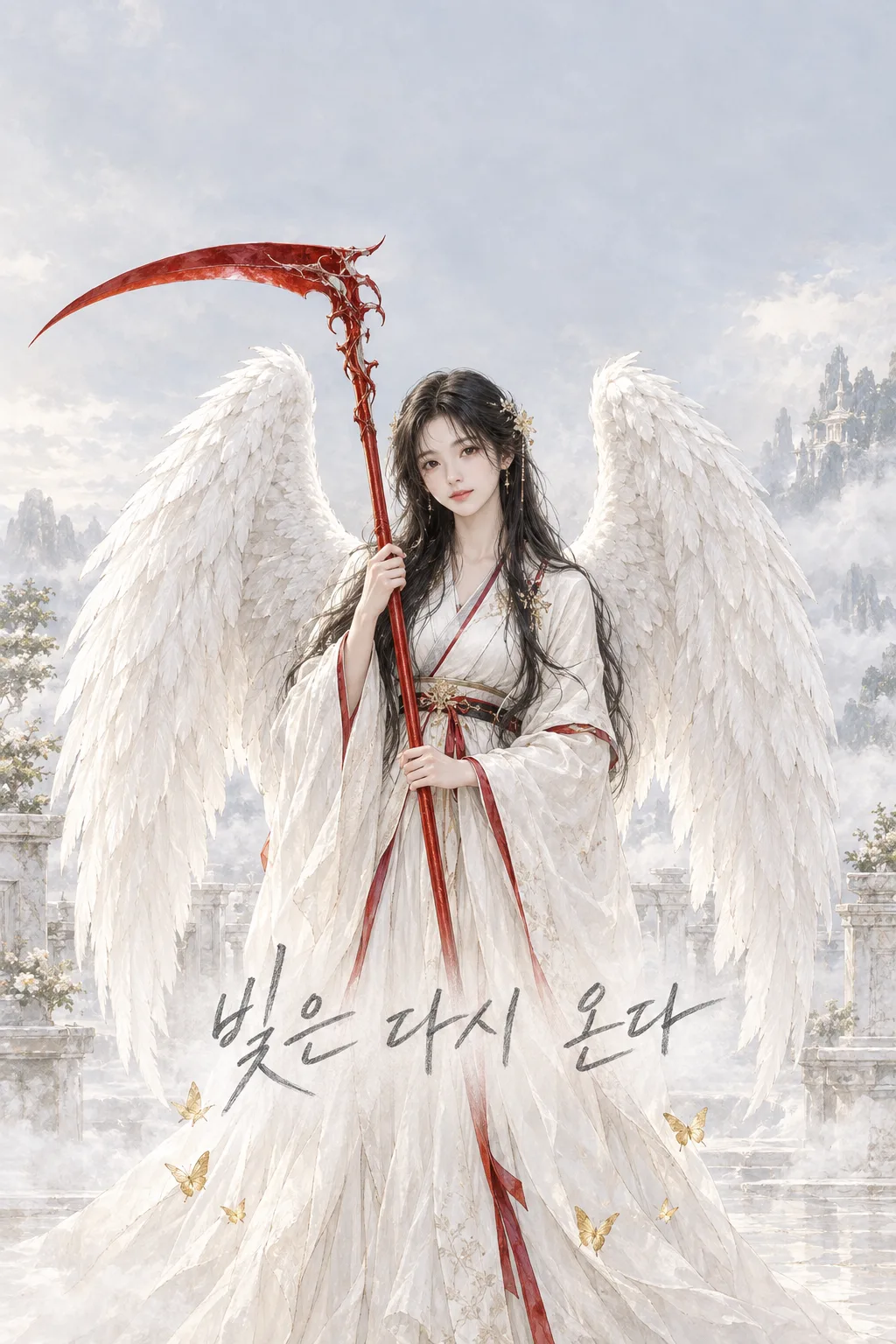
110흰 날개와 붉은 낫 배경화면
자기 사진을 넣은 사람이 흰 날개와 붉은 낫의 판타지 그림을 휴대폰 잠금화면과 인스타 스토리에 써요.
칸 채우기
- 1칸을 채워요
- 2복사 버튼을 눌러요
- 3GPT 채팅창에 내 사진 1장을 올리고, 프롬프트를 같이 붙여넣어요
- 4내 사진 1장과 프롬프트가 둘 다 들어간 걸 보고 보내요
프롬프트 원문 보기 3,386자
Generate this image now. Draw it directly - do not describe it, explain it, or ask questions.
Output size 2480x3508 pixels, A4 portrait, 300dpi, print-ready poster.

[Purpose]
Create exactly ONE complete original vertical phone lock-screen wallpaper from the ONE personal photo attached in this SAME message. The owner can set this exact image as a wallpaper and share it as an Instagram Story. Its single fixed look is an ethereal white-winged fantasy portrait with one red scythe and small gold butterflies. No phone mockup, paired wallpaper, film poster, collage, image set, crop, code or follow-up step. Never offer a choice of character design, art style or background.

[Identity and scene]
Keep the photographed person's recognizable face, age impression, skin tone, hair and glasses; retain "【남길 얼굴 특징】" where actually visible. If the description conflicts, the photo is the source of truth. If no person appears, ask for a suitable photo instead of inventing identity. Place that person in the lower middle as one original, adult, peaceful winged guardian. Give them exactly TWO large white feathered wings with clear left and right attachment behind the shoulders. Dress them in a simple ivory robe with restrained deep-red patterned trim. The pattern must be original and abstract, with no borrowed uniform or emblem. One long red scythe is held vertically, blade pointed away from the body, without attack or injury. Make the shaft pass through one coherent hand. A few tiny gold butterflies circle low near the robe. The setting is a pale misty terrace against a pearl-gray sky; no named landmark or recognizable franchise world.

[Phone composition]
Reserve the top 0–24% as a calm low-detail pale-gray sky for the actual clock and widgets. Do not draw a fake clock, app icons, phone frame or lettering there. Keep the face around the middle, separated from both wings, and the scythe silhouette visible without hiding the face. Put the pencil phrase below the face near 70–78% height, away from the blade. Keep the lowest 15% simple for lock-screen controls. Make wings, face, scythe and text visible at thumbnail size. The red should be concentrated in the scythe and a small amount of costume trim; keep the rest ivory, pearl and muted gold rather than rainbow or heavy neon.

[Lettering]
Render one short Korean line "【한 줄 다짐】" once in LARGE legible graphite-pencil handwriting with natural pressure changes and an imperfect baseline. If the value is "알아서 골라줘", invent a short original encouraging Korean phrase and render only the final phrase, never the instruction words. This line is the only text in the image. Proofread each syllable. Do not print the identity note, field labels, Japanese pseudo-writing, angel name, credits or watermark. Use a slightly darker quiet patch behind the pencil line for contrast, without a hard banner.

[Finish]
One cohesive hand-painted fantasy illustration with fine ink edges, translucent watercolor-like atmosphere, individually layered feathers, soft diffuse light and natural anatomical hands. It should be gentle, luminous and contemplative, not a horror scene. The scythe is a symbolic fantasy object with a single continuous shaft and one blade; no blood or threats. Avoid duplicate wings, extra limbs, plastic 3D skin, glowing cyber halos, paper-cut collages and tiny unreadable lettering. Do not copy any artist, film, game or manga character. Return only the finished wallpaper image.
이 카드도 많이 사용해요
쓰는 법 · 자주 묻는 것
이런 때 쓰세요
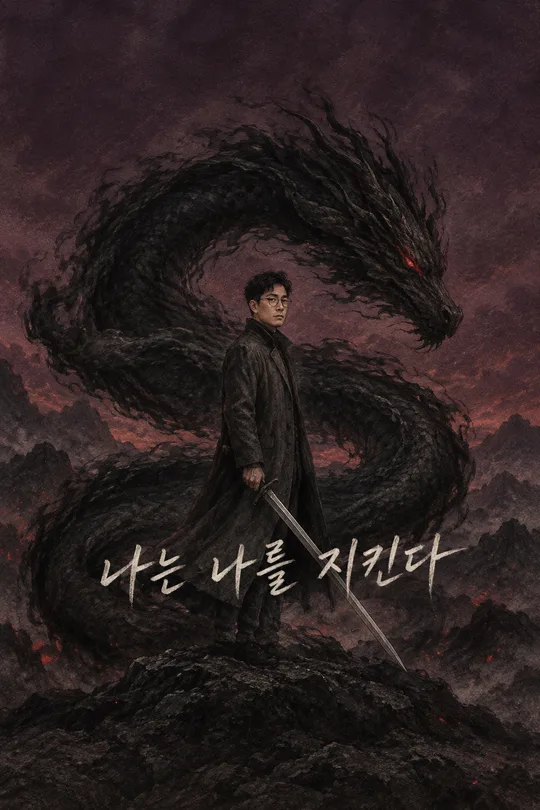
내 얼굴이 들어간 밝은 판타지 잠금화면을 만들고 싶을 때 쓰세요. 흰 날개 둘, 붉은 낫 하나, 작은 금빛 나비가 한 장면에 들어갑니다. 화면 위쪽을 비워 실제 휴대폰 시계가 가려지지 않게 했습니다. 기존 검은 용·검 배경화면과 색과 인물 원형, 소품이 다릅니다.
칸 채우는 법
‘남길 얼굴 특징’에는 사진에서 실제로 보이는 얼굴 단서를 적으세요. 없는 특징을 적으면 인물이 바뀔 수 있습니다. ‘한 줄 다짐’은 화면에 찍히는 유일한 문장입니다. 쓰기 어렵다면 「알아서 골라줘」로 두면 짧은 문장을 고릅니다. 낫의 색, 날개 수, 배경과 그림체는 표지 모습으로 고정됩니다.
사진을 넣는 순서
- 본인 사진 한 장을 GPT에 올리고 아직 보내지 마세요.
- 같은 입력창에 복사한 프롬프트를 붙여넣으세요.
- 사진과 글이 함께 있는지 확인하고 한 번만 보내세요.
그림이 나오면 꼭 볼 것
얼굴이 원본과 닮았는지, 날개가 두 장인지, 붉은 낫이 한 자루인지 보세요. 시계 자리 위쪽이 비었는지와 연필 글자가 휴대폰에서도 읽히는지를 확인하고 배경으로 설정하세요.