
All · Social posts · Tips & facts · Memes
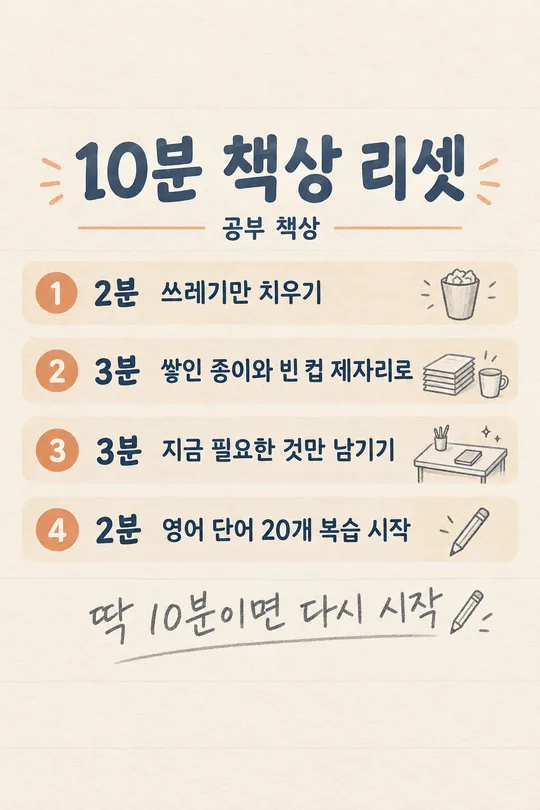
185Numbered List Card
Pick a title to automatically fill a single numbered list with matching content, a mascot and icons.
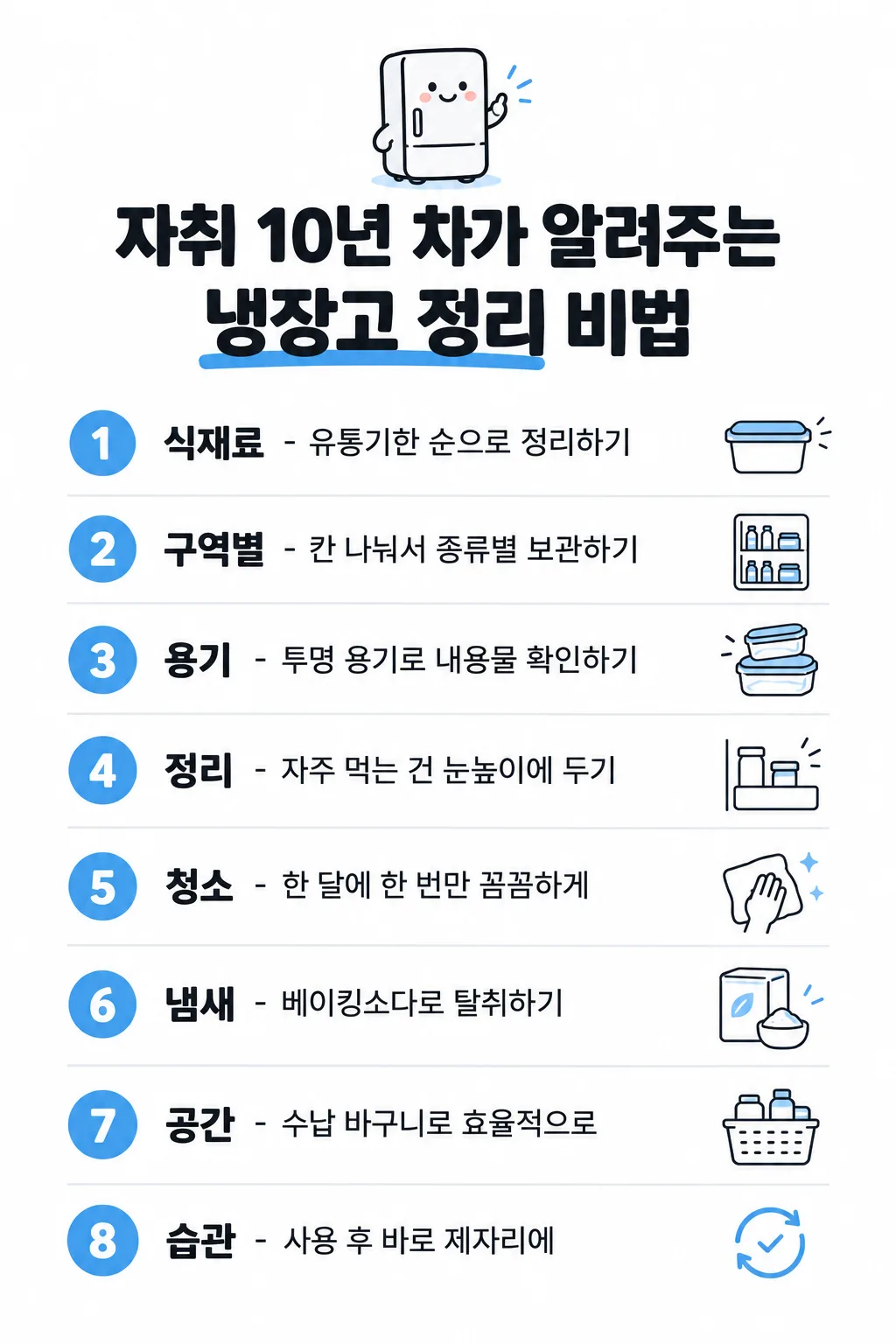
Fill in the fields
- 1Fill in the fields
- 2Copy the prompt
- 3Paste it into a GPT chat
- 4Send it as is and you get an image like the thumbnail example
- 5Attach a real photo that fits the card and it is used in the result: a background photo for background cards, a person or food photo for those cards Optional
Full prompt 5,549 characters
Generate this image now. Draw it directly - do not describe it, explain it, or ask questions.
Output size 1080x1920 pixels, 9:16 portrait story. Keep all text inside the central 80% of the height.

[Input]
Exact English title: "【Title】"
Requested number of rows: 【Row count】
Chosen accent color: "【Color】"
User-written rows, separated by line breaks: "【User-written rows】"

[Automatic decisions]
Create exactly ONE finished numbered-list image for Threads or Instagram. The title alone is enough: silently choose every row's wording, the row format, one small cute mascot, one thin-line icon per row, and a suitable accent color. Never ask the user for row content, a mascot, icons or a design. If the row-count input is absent, use 8; supported choices are 5, 6, 8 and 10. If the color input is absent, choose red, orange, green, blue or brown to suit the title. Use one consistent accent throughout. Keep the entire list on this single canvas.

[Content priority]
If the user-written rows input is absent or whitespace only, generate exactly the requested number of distinct, relevant rows from the title. For practical tips, use ordinary, accurate, actionable knowledge. Do not invent credentials, secret insider evidence, statistics, quotes, guarantees, or medical claims. Treat an expert-themed title as the user's headline, not proof that an expert endorsed the content. For empathy or advice, use gentle everyday observations rather than declaring a universal truth. A diet-themed title may use ordinary habits without claiming weight loss, treatment, prevention, a guaranteed effect or a prescribed intake.
If user-written rows are present, each nonblank input line is one complete row, in the same order. Copy every character of each line verbatim, including spaces, spelling and punctuation; do not correct, summarize, translate, replace or add to it. Blank lines only separate rows. The number of supplied rows takes precedence over the requested count: never drop supplied rows or invent missing rows to reach a button value. Keep all supplied rows on one image. The short-writing rules below apply only to automatically written rows.

[Choose one row format from the title]
For a tips, methods or practical know-how title: one line per row, with a bold English keyword of 1-3 short words, then " - ", then a short practical method of at most 8 words. Choose compact wording that is useful without an unsupported claim.
For an empathy, reflection or life-advice title: two lines per row, with a bold main statement above and a smaller line beginning "- " below. Keep the main statement compact and the small remark within 8 words. Prefer a 1-3-word key phrase when it reads naturally. This is a visual line break, not a printed slash. Choose the best format silently and use it consistently; never make separate cards for the two formats.
For supplied rows, preserve their exact text regardless of format. Emphasize an existing key phrase and wrap at natural word boundaries only; do not add a method, dash, subtitle or commentary to a supplied line. A visual line wrap must not change its text.

[Design]
Clean pure white background, dark near-black English sans-serif, generous readable spacing, flat polished editorial illustration. Place exactly one small original cute mascot at the top, naturally connected to the title: for example a smiling fridge for fridge organization or a quiet friendly character for life advice. Keep the mascot small enough that the list is the main subject. Below it, render the exact supplied title in very bold type across two balanced lines. Wrap the existing title naturally without rewriting it. Mark one existing key phrase with a thick accent-colored marker underline below the letters, keeping the strokes unobscured.
Below the title, create evenly spaced numbered rows. At the left of each row, use a solid accent-colored circle with its white Arabic number, from 1 through the actual row count, each exactly once. Keep the row text left-aligned next to the circles. At the far right, place one small delicate thin-line icon specific to that row's content; do not repeat a generic icon for all rows. Separate neighboring rows with fine light-gray horizontal rules. Tip rows use one text line; empathy rows use the two-level main statement and small remark. Keep all numbers, text and icons fully visible, with clean consistent alignment and enough bottom breathing room. Adapt spacing and type size to the selected aspect ratio and row count before drawing. The last row must be as readable as the first. Do not crop, split into pages, create a carousel, use a phone mockup, add a colored background, or add badges, branding, sources, a footer slogan or watermark.

[Text fidelity and output]
Every English character exactly as written, nothing added.
The user's title and supplied rows are immutable. Automatically generated rows are allowed only when no user rows were provided: decide their exact wording before drawing and render it faithfully. Render only the exact title, the row wording and the numbered circles; no form labels, placeholder braces or extra captions. Return one complete image directly.
Render the title and every row in English. Do not include Korean text or translate user-supplied English text.

[Final output format]
Output size 1080x1920 pixels, 9:16 portrait story. Keep all text inside the central 80% of the height.
This selected output format takes priority over any fixed canvas size or aspect ratio elsewhere in this template. Adapt the composition, text zones and margins to the selected canvas without stretching or cropping essential content. Device safe areas apply only when a device is selected. Never print these format instructions on the image.
How did it turn out?
You may also like
How to use it · FAQ
Make one card from a title
Create a complete numbered list card for Threads or Instagram just by picking a title. It automatically fills in the rows, a cute matching mascot, and clean line icons. No need to stress over design or picking icons.
Use just four fields
- Title: Required. Choose one from 20 suggestions or type your own. It covers practical know-how like home cafes, cleaning, cooking, travel, and business, as well as relatable advice on relationships, regrets, and comfort. Your own title is kept as-is, wrapped naturally across two balanced lines if long.
- Row count: Choose from 5, 6, 8, or 10. The default is 8. Use 5 or 6 for a quick glance, or 8 and 10 for more detail.
- Color: Red, orange, green, blue, or brown buttons. If left blank, AI picks a suitable accent color based on the title. The background remains clean white.
- User-written rows: Optional. Write one item per line, hitting Enter for the next. Leave blank to let AI generate everything automatically. If you provide your own rows, they are used exactly in order without being summarized, translated, or padded. The number of your written rows takes priority over the row count button.
Row format adapts to the title automatically
For tips and practical methods, each row uses a bold keyword followed by a short explanation. For empathy or life advice, each row uses a bold main statement with a smaller supporting line below. You don't need to choose this manually. The mascot and individual icons match the context naturally.
How to receive your card
Pick a title, adjust the row count or color if needed, and copy the prompt into GPT. No reference image is needed. The recommended aspect ratio is 9:16 for vertical mobile viewing. Even with 10 rows, spacing and font sizes adjust to fit everything cleanly onto a single canvas.
Check before you post
Verify facts in AI-generated information before posting. Even for tips, do not assume an expert endorsed them. Double-check health or diet tips to ensure they do not make medical or guaranteed claims. Review your title and typed rows for typos, check that numbers run in order, and ensure the final row and icons are fully visible before saving.
For practical tips, the bold keyword and short method share one line, separated by a dash. Relatable advice uses a bold main statement with a smaller dash-led remark beneath it. When you supply your own lines, the card adds no explanation: it only emphasizes existing words or wraps them naturally, while preserving every character. Keep each supplied line short for comfortable reading on a phone. Treat relatable advice as a perspective to share rather than a fact that applies to everyone.