
칸 채우기
- 1칸을 채워요
- 2복사 버튼을 눌러요
- 3GPT 채팅창에 붙여넣어요
- 4그대로 보내면 썸네일 예시처럼 나와요
- 5카드에 맞는 실제 사진을 같이 넣으면 그 사진이 반영돼요 — 배경 카드는 배경 사진, 인물 · 음식 카드는 그 사진 선택
프롬프트 원문 보기 3,363자
Generate this image now. Draw exactly ONE finished full-bleed bucket-list checklist wallpaper directly; no explanation or questions.
Canvas: Output size 1080x1920 pixels, 9:16 portrait story. Keep all text inside the central 80% of the height: compress every zone percentage below into the 10-90% range.. Default 9:16. Pure wallpaper, no phone mockup, clock, app icons, widgets, poster frame or collage.
Title: "【제목】". Render this supplied title verbatim once, large and readable. Do not invent a subtitle or slogan.
Original input slot 1: "【항목 1】".
Original input slot 2: "【항목 2】".
Original input slot 3: "【항목 3】".
Original input slot 4: "【항목 4】".
Original input slot 5: "【항목 5】".
Original input slot 6: "【항목 6】".
Original input slot 7: "【항목 7】".
Render only nonempty input slots, in original order, verbatim including spelling, numerals and punctuation. A blank slot removes the entire row, its checkbox and icon; compact the remaining rows without gaps. Never invent, translate, correct, duplicate or replace goals. The input numbers are identifiers, not visible row numbers. Use 3–7 supplied goals; never fill missing rows with guessed goals.
Completed original input slot numbers: "【완료한 항목 번호】". Accept comma or space separated integers 1–7. Ignore duplicates, invalid numbers and references to blank slots. Empty means nothing completed. Match original slot numbers BEFORE removing blank rows. For completed slots only, draw a checked checkbox and exact small label "완료". Others have empty checkboxes and no status word. Strikethrough: "【취소선】". Only if this means On, draw one thin line through completed item text, preserving legibility; otherwise no strike. Never infer completion from goal wording.
Mood: "【분위기】". Interpret only the selected option: pastel diary stickers = cream peach mint lavender paper, softly hand-drawn separated white-edged icons; starry night = deep navy, pale gold readable lettering and delicate original icon sketches; kraft paper handwriting = warm kraft texture, clear charcoal pencil handwriting and small colored pencil icons. These are surface treatments of the SAME checklist wallpaper layout. No branded stickers or recognizable product designs.
Layout: top 0–25% and bottom 90–100% are completely quiet plain background texture, with NO letters, stars, icons or decorative objects. Title occupies 28–38%. All checklist rows occupy 41–84% with evenly distributed spacing adjusted to the supplied count. Text stays within 12–88% width. One small original icon per row drawn from that row’s literal meaning, with a neutral abstract dot for unclear meanings; never add a new activity. Keep icons separate and clear gaps between all stickers. No overlapping lettering, high-detail background behind words or excessive decoration. Main checklist remains dominant and legible on a phone. No people, real brands, trademarks, logos, watermark or existing characters.
Before returning the single image, compare every rendered character against the input, count nonempty slots, and check completion mapping. Render ONLY the supplied title, supplied goals and the applicable status word. Do not print verification notes.

[Final output format]
Output size 1080x1920 pixels, 9:16 portrait story. Keep all text inside the central 80% of the height: compress every zone percentage below into the 10-90% range.
This selected output format takes priority over any fixed canvas size or aspect ratio elsewhere in this template. Adapt the composition, text zones and margins to the selected canvas without stretching or cropping essential content. Device safe areas apply only when a device is selected. Never print these format instructions on the image.
결과 어땠어요?
이 카드도 많이 사용해요
쓰는 법 · 자주 묻는 것
매일 보는 내 목표 목록
잠금화면이나 홈 화면에 두고 떠올리고 싶은 목표를 직접 적는 카드예요. 붙여넣기 한 번으로 체크박스와 작은 아이콘이 들어간 배경화면 한 장을 만듭니다. 위 25%는 시계, 아래 10%는 독을 위해 비워 두지만, 기기의 실제 시계와 앱 위치에 따라 적용 화면에서 확인해 주세요.
칸 채우는 법
꼭 칸은 제목, 항목 1~3, 분위기의 5개예요. 제목은 「올해 꼭 해 볼 것」처럼 원하는 문장으로 바꿔요. 항목은 실제로 하고 싶은 일을 한 줄씩 적고, 항목 4~7은 필요할 때만 채우세요. 빈 항목은 체크박스와 아이콘까지 통째로 빠집니다. 길이가 긴 문장은 작아질 수 있으니 짧게 적으면 읽기 편해요. 분위기는 파스텔 다이어리 스티커, 밤하늘 별빛, 크래프트지 손글씨 중 하나를 고릅니다.
이미 끝낸 목표 표시하기
완료한 항목 번호에는 원래 입력 칸의 번호를 「2」 또는 「1, 4」처럼 적어요. 빈칸을 지운 뒤의 줄 번호가 아닙니다. 비우면 모두 미완료이고, 해당 항목에만 체크와 「완료」가 붙어요. 취소선을 사용으로 고르면 완료한 글자 위에 얇은 선도 생깁니다. 없는 번호와 빈 항목의 번호는 무시해요.
결과 확인과 수정
제목과 항목을 확대해 한 글자씩 비교하고, 목표가 새로 생기지 않았는지 확인하세요. 완료 표시가 다른 줄에 붙었으면 원래 칸 번호를 다시 확인해 같은 프롬프트로 재생성하세요. 그림 AI에 복사한 프롬프트를 붙여 넣으면 됩니다. 외부 서비스의 요금과 약관은 해당 서비스에서 확인하세요. 홈 화면에서 글자가 앱에 가려지면 앱 배치를 옮기거나 잠금화면에 적용해 보세요.
예시에서 달라지는 것
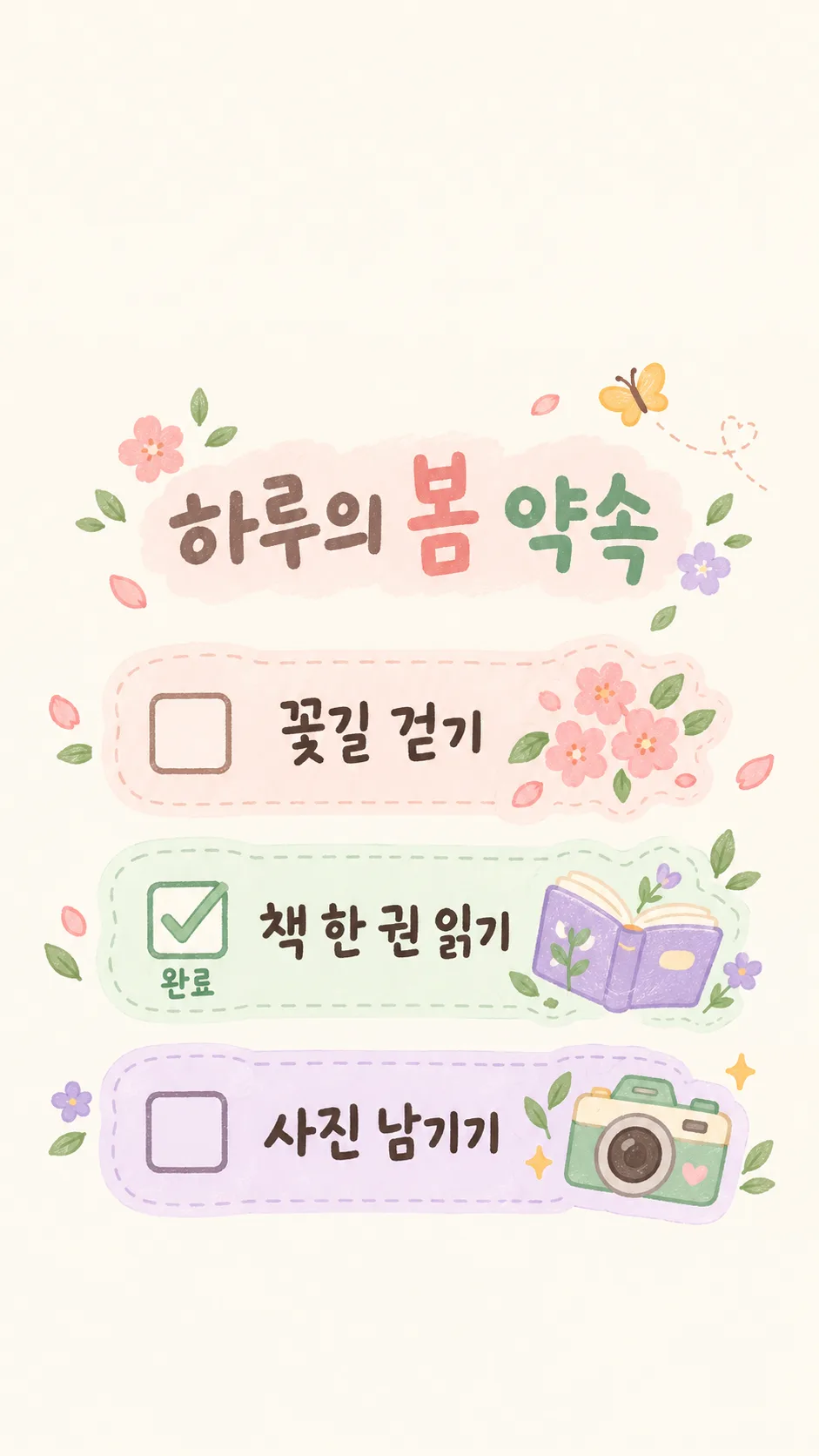
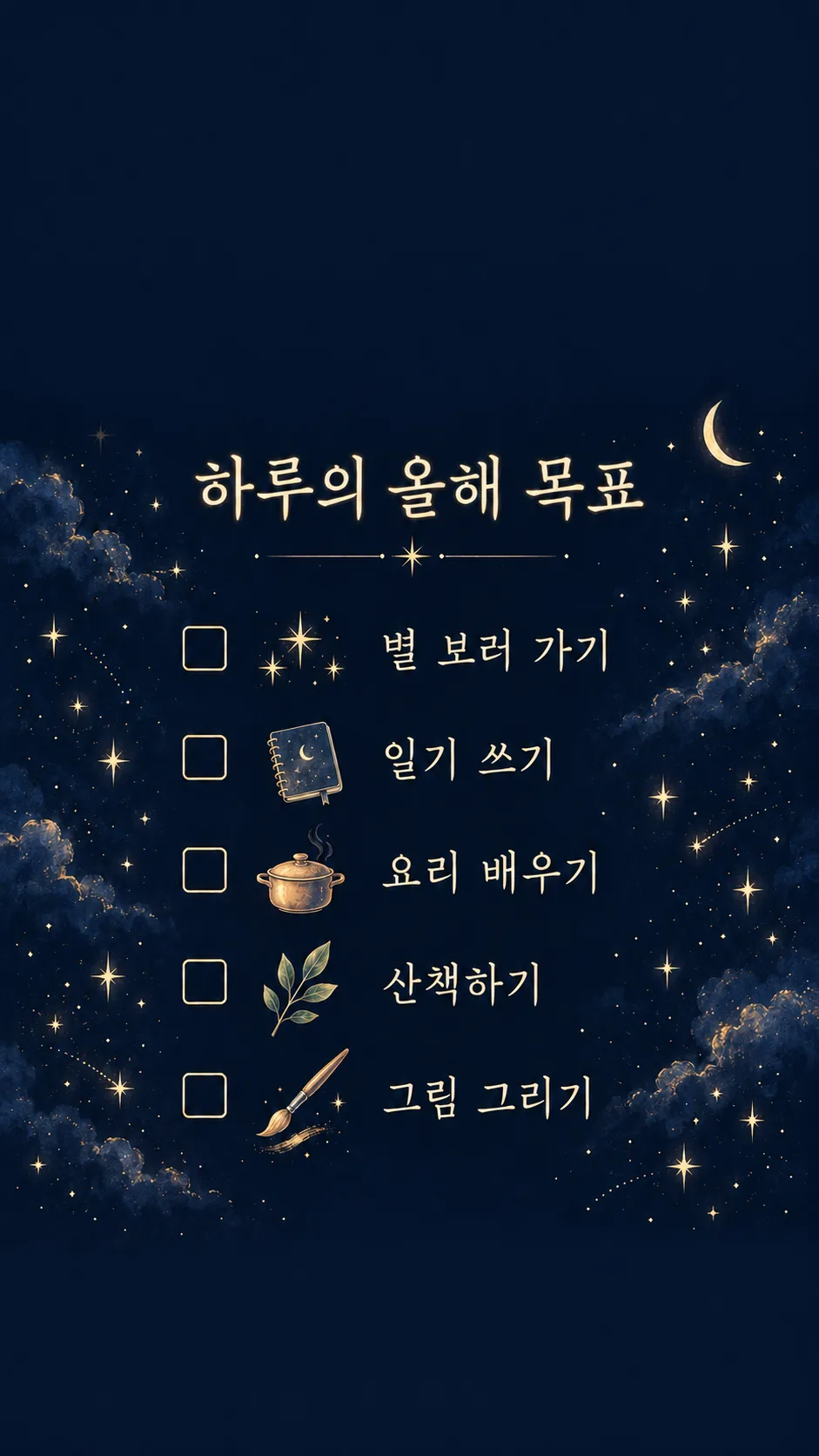
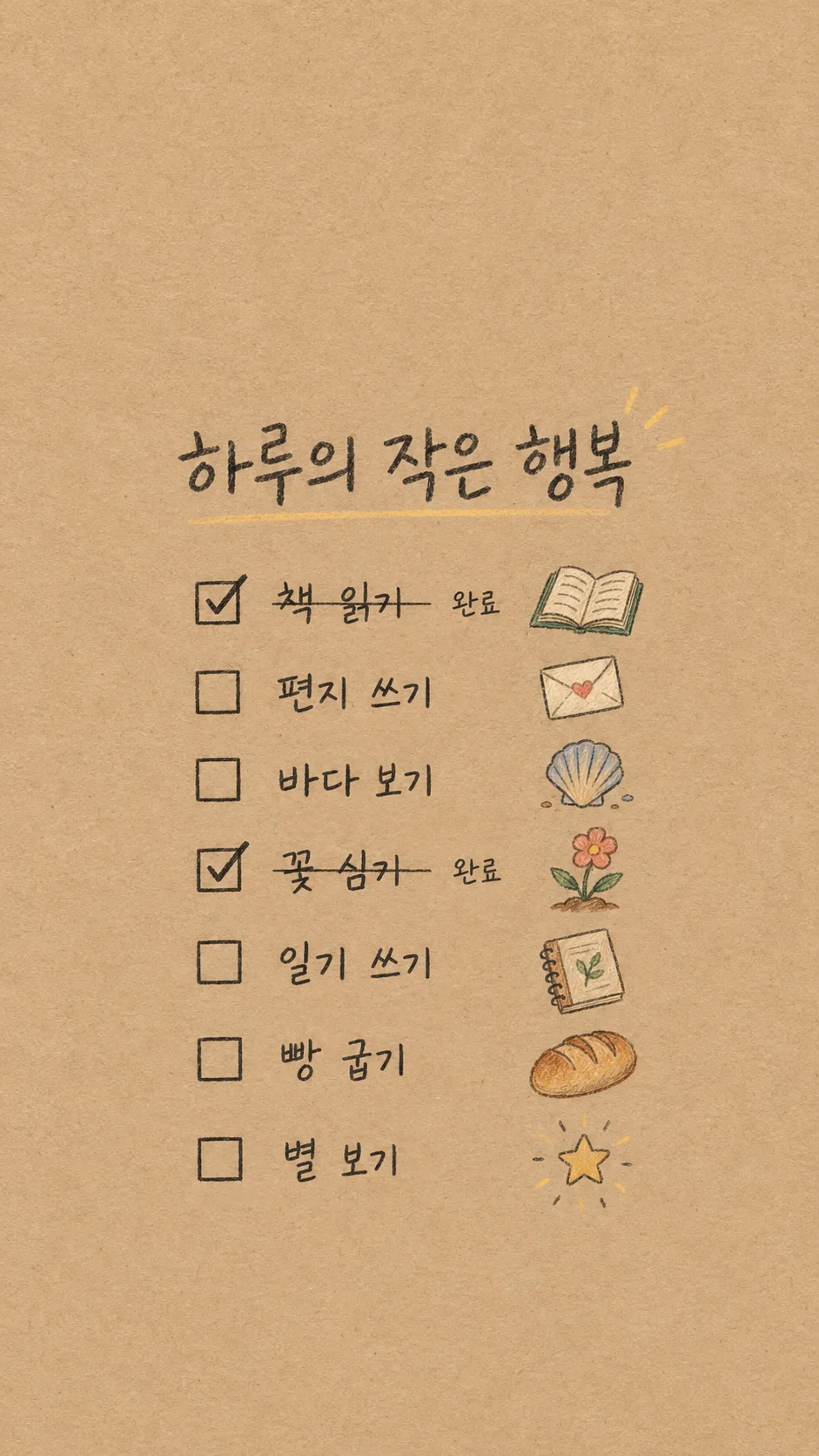
첫 예시는 파스텔 3항목과 2번 완료, 둘째는 별밤 5항목과 완료 없음, 셋째는 크래프트지 7항목과 1·4번 완료 및 취소선이에요. 예시의 목표는 미리 제공한 입력값이며, 사용자의 빈칸을 이 목표로 대신 채우지 않습니다.