
すべて · 図解・案内 · 店舗案内
389レビュー特典の店内案内
レビュー投稿の特典と写真撮影・投稿・スタッフへの提示を、大きな文字と三つの動作図で案内します。
ChatGPT 無料 OK
項目を入力
- 1項目を入力します
- 2コピーを押します
- 3GPTのチャットに貼り付けます
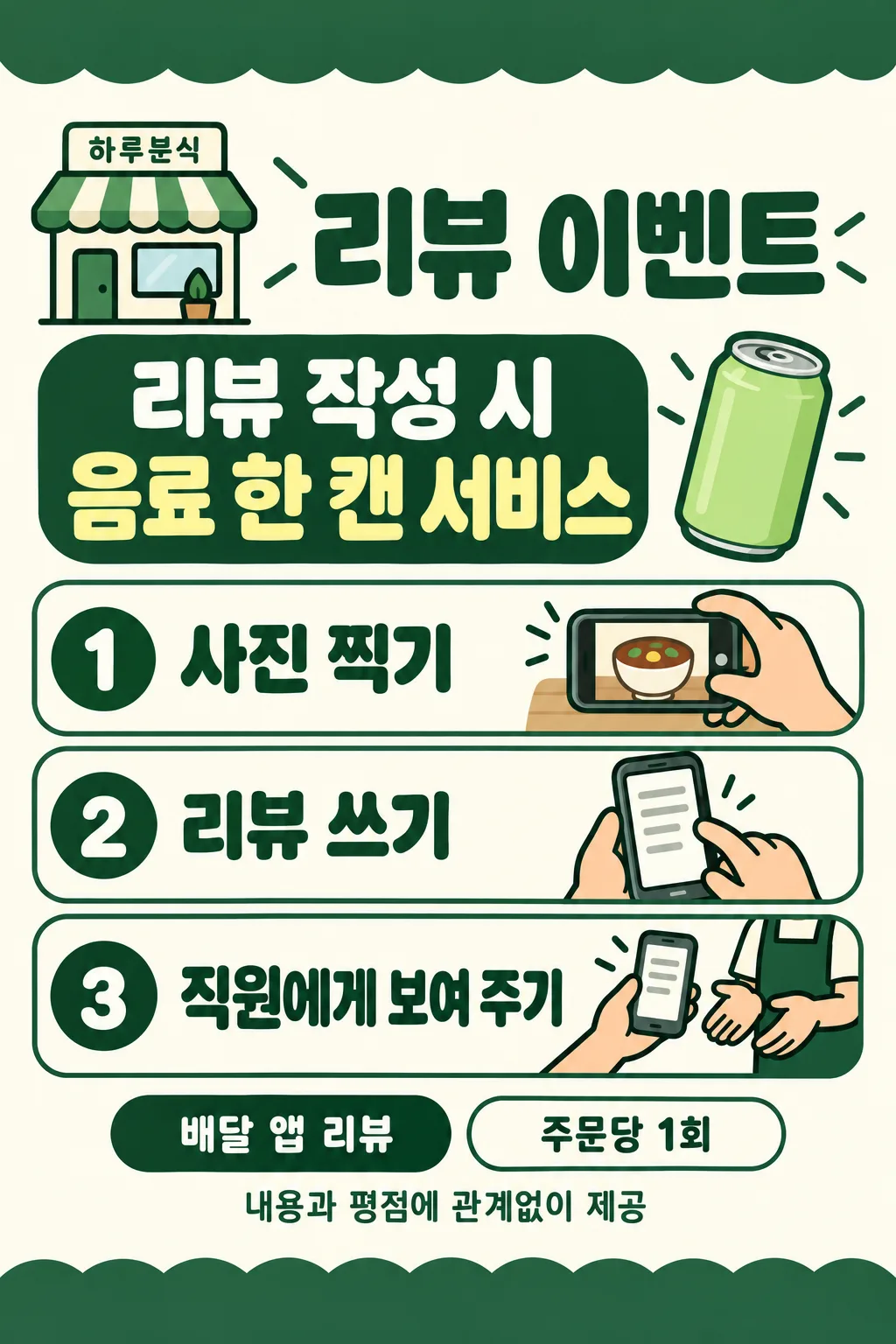
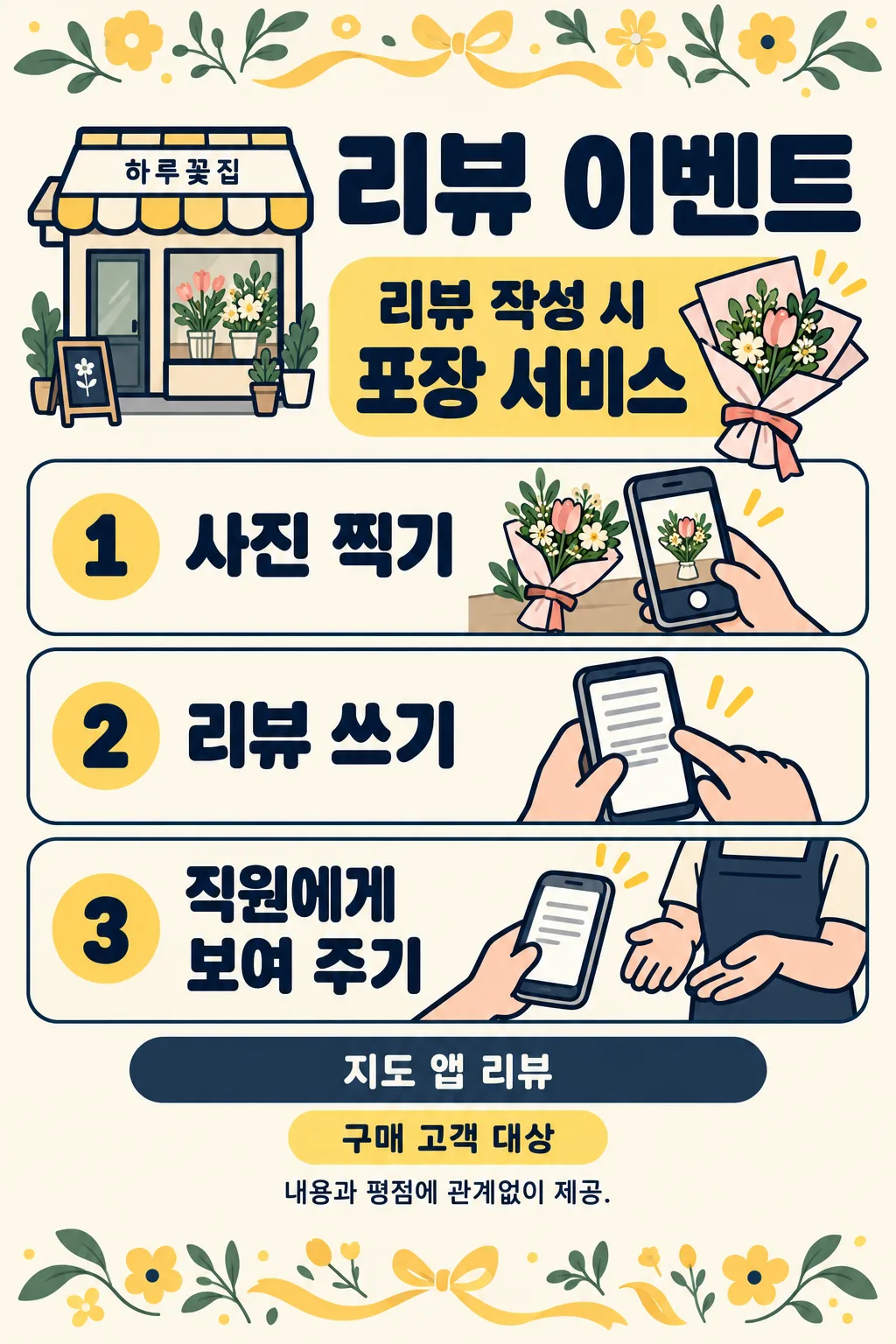
- 4そのまま送ると、サムネイルの例のような画像になります
- 5カードに合う実際の写真を一緒に入れると反映されます。背景カードなら背景の写真、人物・料理カードならその写真 任意
プロンプト全文を見る 3,079文字
Generate this image now. Draw it directly, do not explain or ask questions.
Create ONE finished flat shop review event sign. 完成した2:3の縦型画像を1枚、1024×1536ピクセルで出力してください。重要な文字は上12%と下15%に置かないでください。 Use the selected canvas ratio. Edge-to-edge ivory canvas, bold rounded sans lettering, thick outlines and peach hands, cheerful professional instructional illustration. No mockup, photographed paper or perspective. Top 12% and bottom 15% are decorative bands without text. Keep all words between 13% and 84% height, within 5% side margins. Small shop at 14%, title at 19%, large benefit at 25%-35% with a small original benefit icon. Three compact rounded horizontal rows at 40%-73%: numbered circle left, large instruction middle, meaningful action illustration right. Row1 hand holding a fictional phone photographing a shop item; row2 hand typing on generic phone with text lines; row3 customer hand showing phone to a staff member's hands. No faces, stars, ratings, recognizable app UI, logos, brand products or QR codes. Phones and benefit objects must be original fictional designs. Draw simplified icons, not realistic food photos.
Print platform at 77%, optional condition at 81%, impartiality note at 84%. Copy supplied shop, benefit, platform and condition exactly. The benefit heading is FIXED_TRIGGER followed by BENEFIT, never infer a benefit, price, period or eligibility. Blank shop removes its label and reflows header. Blank benefit omits the entire benefit panel including trigger and icon; never invent a free item. Blank platform omits its line, leaving no empty box. Blank condition omits its line, leaving no empty box. Draw the supplied benefit item; if it is a service, use an appropriate generic service icon. Color options in order orange/ivory, green/ivory, navy/ivory, black/white. Blank color uses orange/ivory. The palette never prints. Same layout and illustration style for all choices.
Reviews must be eligible regardless of content or rating. Never print or illustrate a minimum rating or a positive-review requirement. If input requests such a requirement, omit only that requirement and keep the neutral event. Use only generic platform wording; replace any supplied proprietary platform name with DEFAULT_PLATFORM, with no logo. Always print FIXED_NOTE. Print ONLY resolved shop, fixed title, fixed trigger if benefit exists, benefit, numbered steps 1-3, platform if supplied, condition if supplied and fixed note. Check every character before finishing. No verification notes, watermark or sample label.
SHOP: "【店名】"
BENEFIT: "【特典】"
PLATFORM: "【レビュー先】"
CONDITION: "【小さな案内】"
COLOR: "【色】"
Output language: ja. Title: レビュー特典. FIXED_TRIGGER: レビュー投稿で. Steps: 写真を撮る / レビューを書く / スタッフに見せる. FIXED_NOTE: 内容や評価にかかわらず提供. DEFAULT_PLATFORM: 地図アプリのレビュー.

[Final output format]
完成した2:3の縦型画像を1枚、1024×1536ピクセルで出力してください。重要な文字は上12%と下15%に置かないでください。
This selected output format takes priority over any fixed canvas size or aspect ratio elsewhere in this template. Adapt the composition, text zones and margins to the selected canvas without stretching or cropping essential content. Device safe areas apply only when a device is selected. Never print these format instructions on the image.
結果はどうでしたか?
こちらのカードも人気です
使い方・よくある質問
レジやテーブルに置く、平面のレビュー特典案内を1枚作ります。大きな特典の下に、写真を撮る・レビューを書く・スタッフに見せるという三つの動作を、手と架空のスマートフォンの図で示します。完成したプロンプトを画像生成サービスに一度貼り付けます。写真の添付や加工は不要です。
必須の欄は1個、特典です。店名は空欄なら表示しません。特典には「ドリンク1杯サービス」のように実際に提供する内容だけを記入します。「レビュー投稿で」は自動で付くため、特典欄に繰り返し書く必要はありません。特典が空なら見出しを含む特典部分とアイコンを省き、商品を推測しません。レビュー先は「地図アプリのレビュー」「配達アプリのレビュー」のような一般的な名称にします。空欄ならその行を省きます。
小さな案内には「1注文につき1回」「購入されたお客様対象」など実際の運営条件を短く書きます。空欄なら条件の行を省きます。色はオレンジ・緑・紺とアイボリー、または黒と白の四つです。空欄ならオレンジを使います。配色が変わっても三つの手順と平面の図は共通です。
内容や評価にかかわらず特典を提供する案内です。高評価や肯定的な内容を条件にする入力は、その条件だけを除外します。「内容や評価にかかわらず提供」は必ず表示します。特定サービス名は一般的な名称に置き換え、ロゴや実際のアプリ画面を描きません。期間・数量・追加条件を勝手に作りません。
出力後は店名、特典の数量、レビュー先、条件を原文と一文字ずつ照合し、番号が1・2・3の順であるか確認します。星や実在アプリの画面が混ざっていたら再生成してください。実際に使用するサービスが特典付きレビューを認めているか、提供を受けたことの表示が必要かは、現在の規約を確認してから運営してください。
ギャラリーは韓国語の独立した三つの生成結果です。表紙はHaru Coffeeのドリンク特典、例1はHaru Kitchenの缶ドリンクと1注文につき1回、例2はHaru Flowersのラッピングと購入者向け条件です。英語・日本語も同じ五つの欄、四つの配色、空欄の動作を維持します。
比率は共通画面で選びます。表紙と例は縦2:3です。印刷では比率を保ち、文字を切らず、実際の距離から読めるか試してください。文字が違う場合は正しい入力で再生成します。手順を変更できますか?この三つの動作は固定です。店名なしでも使えますか?空欄にすると共用の案内になります。