
All · Infographics & guides · Store notices
361Parking Information Sign
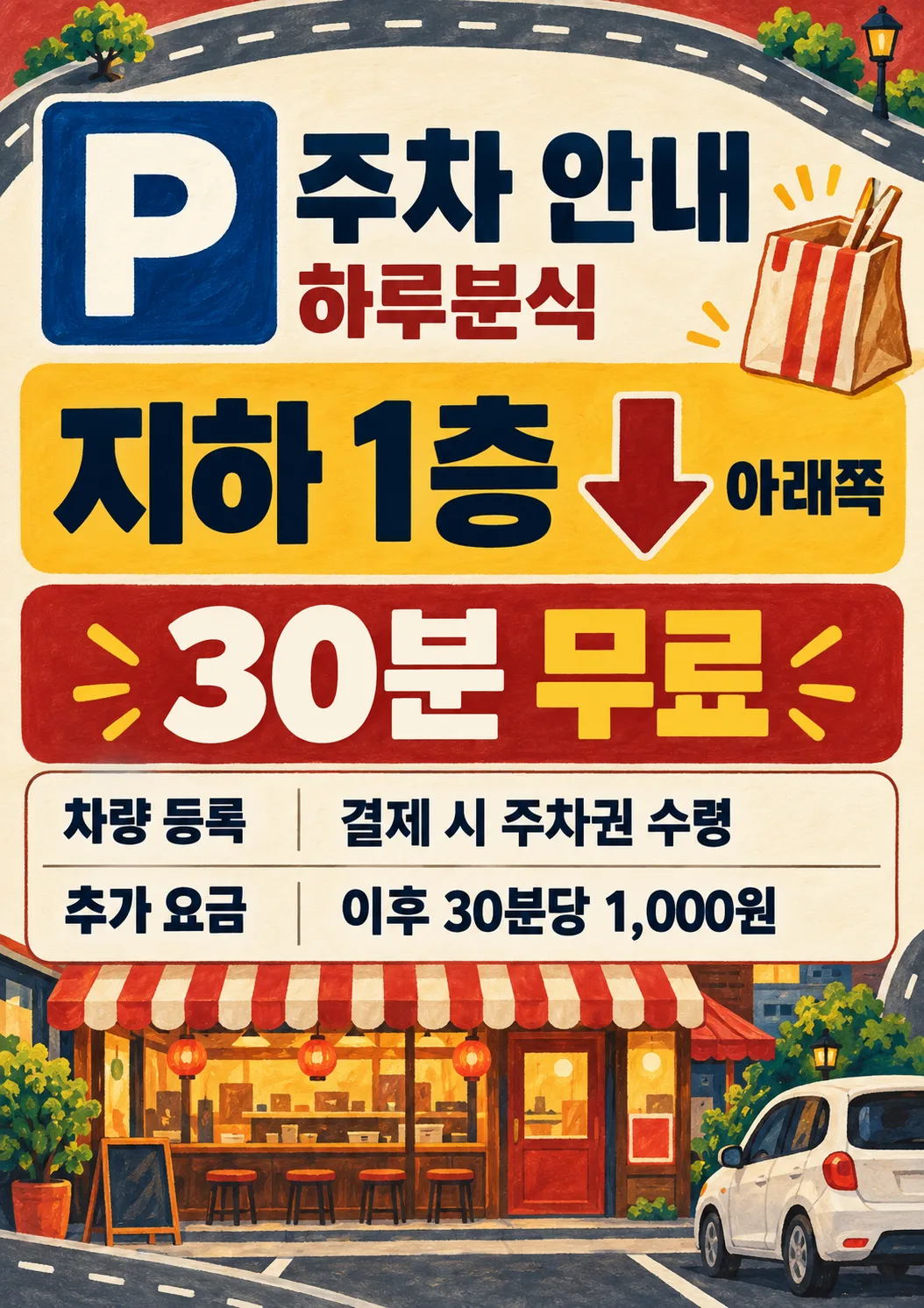
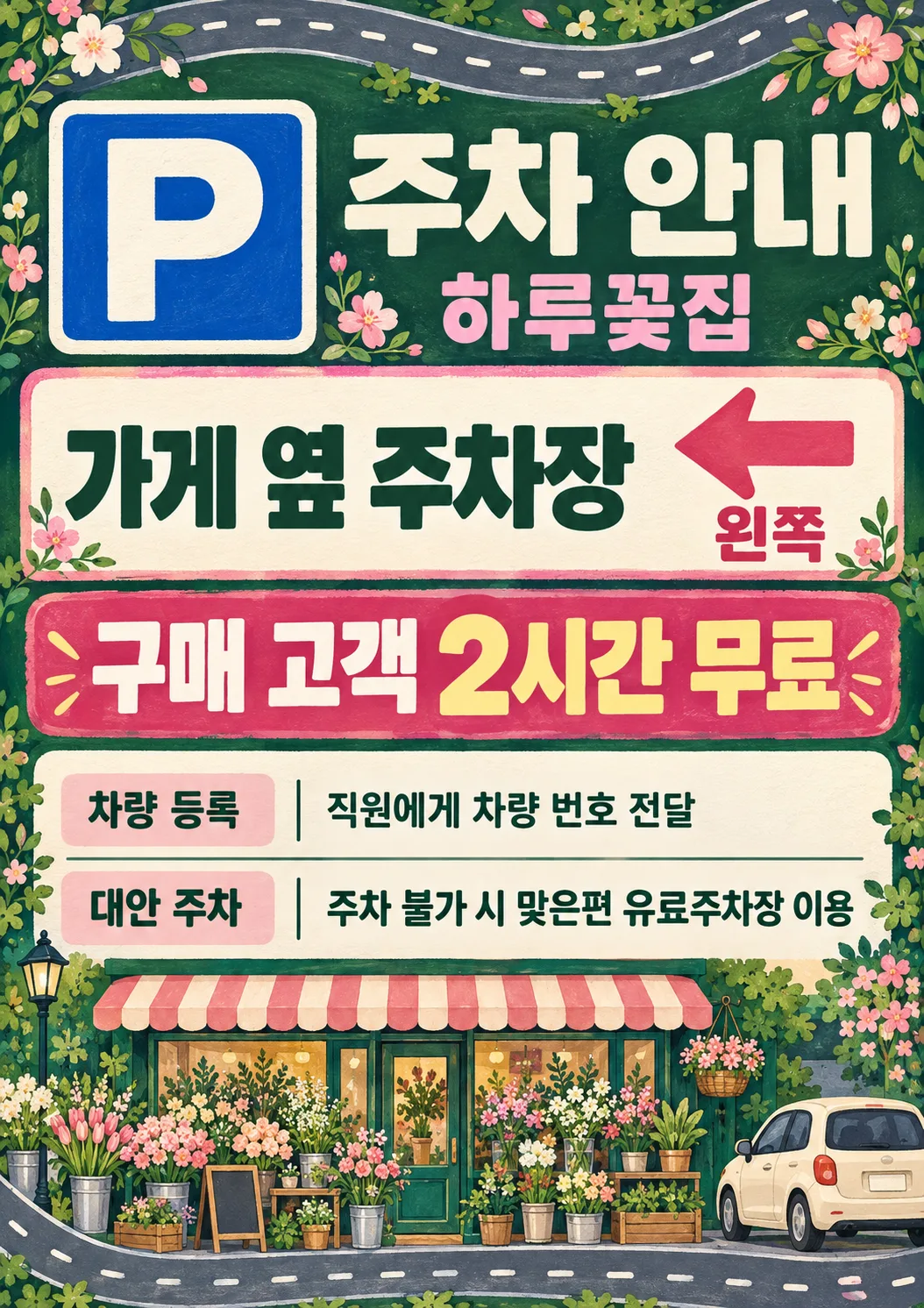
A large P and direction arrow make parking easy to find, with free-parking conditions, registration and optional fees on one illustrated sign.
ChatGPT Free OK
Fill in the fields
- 1Fill in the fields
- 2Copy the prompt
- 3Paste it into a GPT chat
- 4Send it as is and you get an image like the thumbnail example
- 5Attach a real photo that fits the card and it is used in the result: a background photo for background cards, a person or food photo for those cards Optional
Full prompt 4,146 characters
Generate this image now. Draw it directly, do not explain or ask questions.
Create ONE premium illustrated parking information sign, a finished flat portrait print design. Output size 2480x3508 pixels, A4 portrait, 300dpi, print-ready poster. Use the selected canvas ratio. Fill the entire canvas edge to edge with original hand-painted gouache illustration, subtle paper grain, solid color bands and a continuous road ribbon with dashed markings confined to the outer margins. Never a mockup or a small sheet on a background. A large high-contrast square P symbol at 13%-27% height is instantly recognizable; shop name and heading beside it, safely below the top 12%. A bright central location block at 30%-43% shows the supplied parking location in very large bold lettering. If and only if Direction explicitly names one of left, right, straight ahead or down, show one thick arrow pointing exactly that way adjacent to the location, and print the supplied direction exactly. Otherwise print the supplied direction without an arrow. An empty Direction removes both arrow and direction line. No invented directions, maps, road names, distances, floors or geography. The edge road is decorative, never an actual route map. At 46%-58% put the supplied free-parking condition in the largest bold numerals and lettering on a contrasting banner. At 60%-83% use a perfectly legible information table: registration row first, optional subsequent fee row, optional alternative row. Bold small labels left, values right; long values wrap cleanly to two lines. Empty optional entries remove label, value and reserved space. Keep all important text between 12% and 85% height and within 6% side margins. Fill bottom 85%-100% with a substantial original illustrated storefront, small unbranded car and industry objects; fill top 0%-12% with road and industry ornaments. The main information is dominant, illustrations never overlap text. Rich boutique stationery quality, crisp readable bold sans lettering, consistent table baselines and spacing, never a plain office document.
Business controls palette and illustration only: cafe = deep teal, caramel and warm cream, painted ceramic coffee cup, beans and striped cafe awning; snack bar = brick red, mustard and warm cream, illustrated takeout bag, chopsticks and striped snack-shop awning, no realistic food photograph; florist = forest green, blush pink and ivory, abundant bouquet and flower-shop awning; salon = plum, dusty rose and ivory, scissors, comb and salon awning; local shop = navy, ochre and cream, striped general-shop awning and shopping bag. Empty or not selected business uses navy and ochre, generic storefront and car. Keep identical graphic structure and gouache medium for every business. Never print the business field. No people, brands, logos, watermark, promotional slogans, sample labels or verification notes. P is a generic parking symbol.
Print ONLY P, heading, shop name, location, supplied direction, supplied free-parking condition, and the information labels and supplied values below. Copy every supplied character, digit, currency mark and condition exactly; do not calculate fees, invent benefits, add restrictions or shorten registration instructions. Before finishing compare all text with the input character by character.
Heading: "Parking"
Shop name: "【Shop name】"
Parking location: "【Parking location】"
Direction: "【Direction】"
Free-parking condition: "【Free parking and conditions】"
Registration, label "Registration": "【Registration method】"
Subsequent fee, label "Extra fee": "【Subsequent fee】"
Alternative when parking is unavailable, label "Alternative": "【Alternative parking】"
Business (internal only): "【Business】 (map localized business choices to cafe, snack bar, florist, salon, local shop, not selected in that order)"
Output text is English.

[Final output format]
Output size 2480x3508 pixels, A4 portrait, 300dpi, print-ready poster.
This selected output format takes priority over any fixed canvas size or aspect ratio elsewhere in this template. Adapt the composition, text zones and margins to the selected canvas without stretching or cropping essential content. Device safe areas apply only when a device is selected. Never print these format instructions on the image.
How did it turn out?
You may also like
How to use it · FAQ
Parking details at a glance
Place this portrait sign at the entrance, counter or parking entrance. The large P symbol, location block and prominent free-parking condition help visitors find the key information. The table below lists registration, optional extra fees and an optional alternative. Original gouache illustrations fill the page edges: teal and caramel coffee motifs for a cafe, brick and mustard takeout bags and chopsticks for a snack bar, green and pink bouquets for a florist, plum salon tools for a salon, or navy shopping bags for a local shop. The graphic structure stays the same. Paste the completed prompt once into an image AI to request one image; no photo is needed.
Four required fields
The four required fields are Shop name, Parking location, Free parking and conditions, and Registration method. Use the actual storefront name and an unambiguous location such as Parking behind the building or Basement level 1. Include the eligible customer group in the free-parking field when applicable, such as 2 hours free for customers. If there is no free benefit, write No free parking. If registration is unnecessary, write No registration required rather than leaving this required field blank.
Direction is optional. Left, Right, Straight ahead and Down produce matching arrows. Judge the direction from the place where the sign will be posted. A custom direction outside these four choices prints as text without a guessed arrow. An empty field removes both arrow and direction text. Subsequent fee should include the amount and time unit, for example Then $1 per 10 minutes. Alternative parking should name a real available option. Empty fee and alternative fields remove their complete rows and reserved space. The prompt never invents a nearby lot, walking distance, free benefit or fee calculation. Business affects the palette and illustrations without being printed. Empty or Not selected uses a navy and ochre generic storefront and car.
Print and inspect
Choose A4 in the shared ratio control for a portrait print request. The catalog cover uses 2:3, which differs from A4. Preserve the image ratio and allow margins when printing instead of stretching or cropping. Test-print for legibility. Check every location word, floor number, arrow direction, eligibility condition, duration, registration instruction, fee amount and time unit. The road ribbon is decorative and is not an actual route map. When parking rules change, update the field and regenerate. If the registration text is too long, shorten it while retaining the factual instruction.
Questions
No free parking? State that in Free parking and conditions, then put the real charge in Subsequent fee. No verified alternative? Leave Alternative parking empty. Wrong arrow or character? Correct the input and regenerate; post only a checked result. The gallery contains Korean sample outputs. English and Japanese retain eight fields, four direction choices, six business choices and the same blank-field behavior. Currency examples are local sample values, not exchange-rate conversions.